
The AMD AI Developer Program hands out free cloud credits to developers. You pick one of two options: $50 in Fireworks AI credits for managed LLM inference, or $100 in AMD Developer Cloud credits for bare-metal GPU access. All you need to apply is a public profile like GitHub or LinkedIn. No credit card, no payment method, and approval usually lands within 3 business days. Verified August 2026.
Credit amounts and program terms are subject to change. Always check the official AMD page for the latest information.
1. Open the AMD AI Developer Program Page
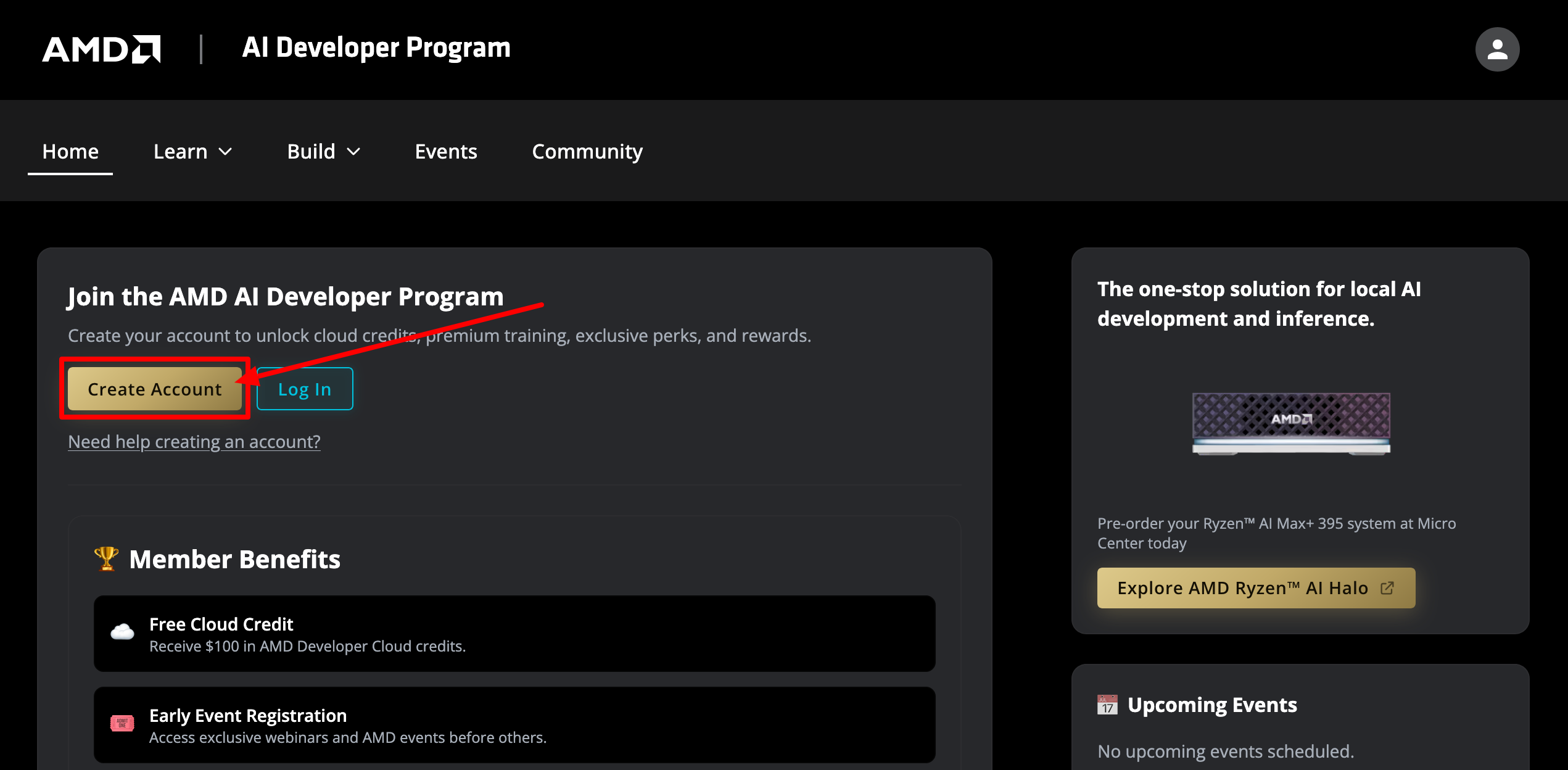
Visit the official AMD AI Developer Program page:
New here? Click Create Account. Already have an AMD account? Click Log In.
2. Complete the Sign Up Form
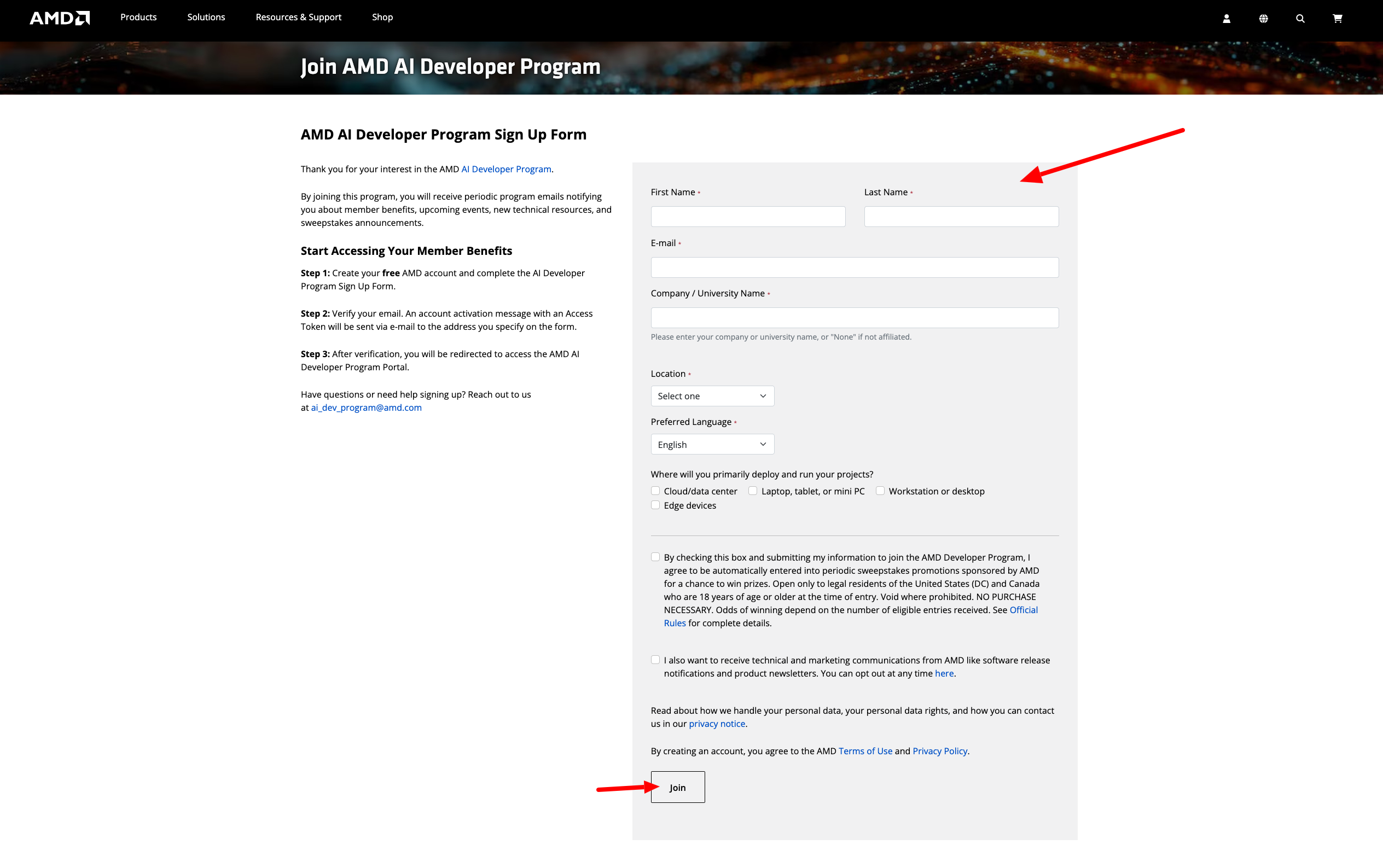
The form is basic stuff: name, email, company or university, location, language, and where you'll run your projects. Two things worth knowing:
- Use an email you actually check. Your activation token and later your coupon code both go here.
- Not affiliated with a company or university? "None" is fine in that field.
Skip the sweepstakes and marketing checkboxes unless you want them, then click Join.
3. Activate Your Account
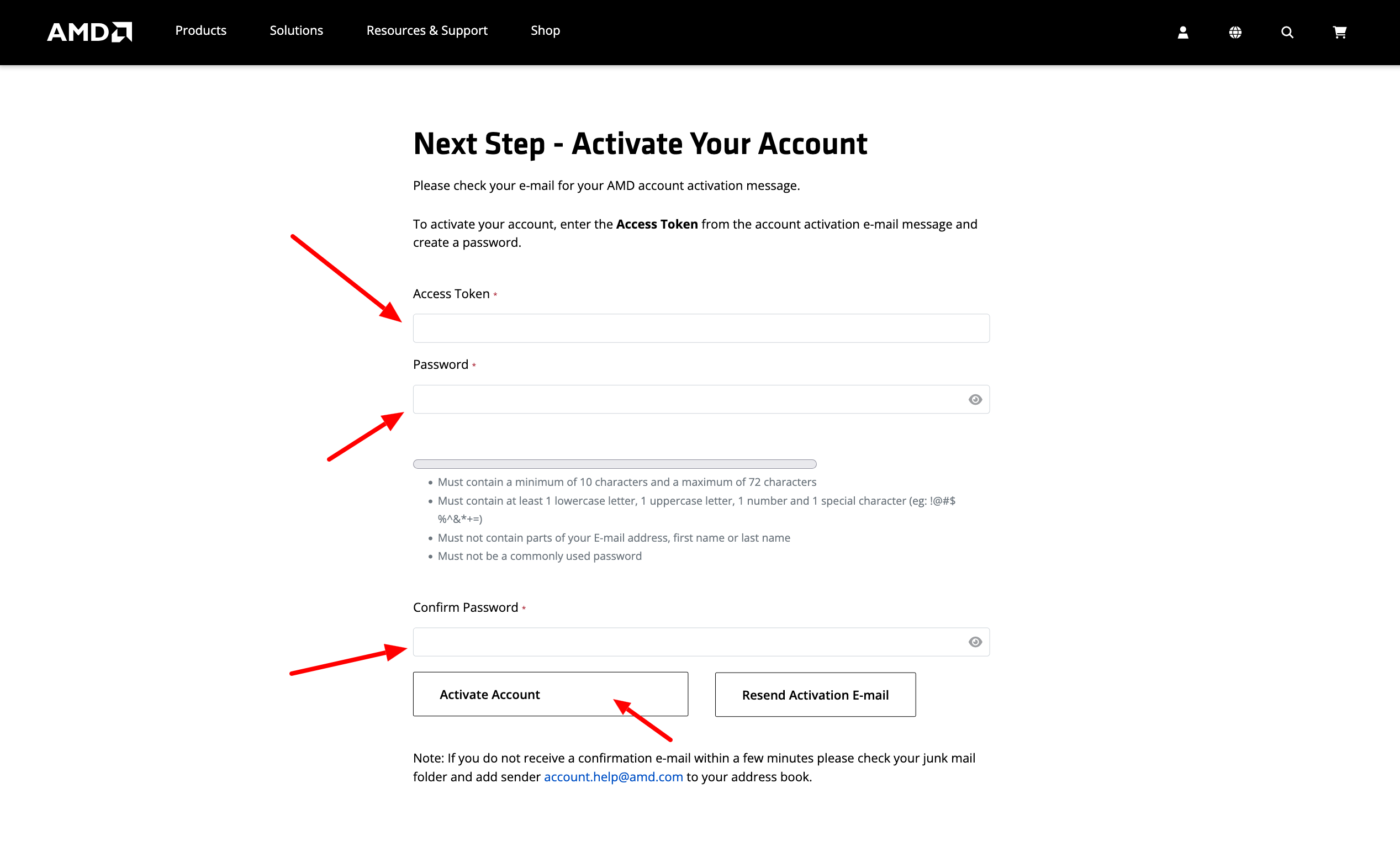
After joining, you land on the Activate Your Account page. Leave this tab open and check your email.
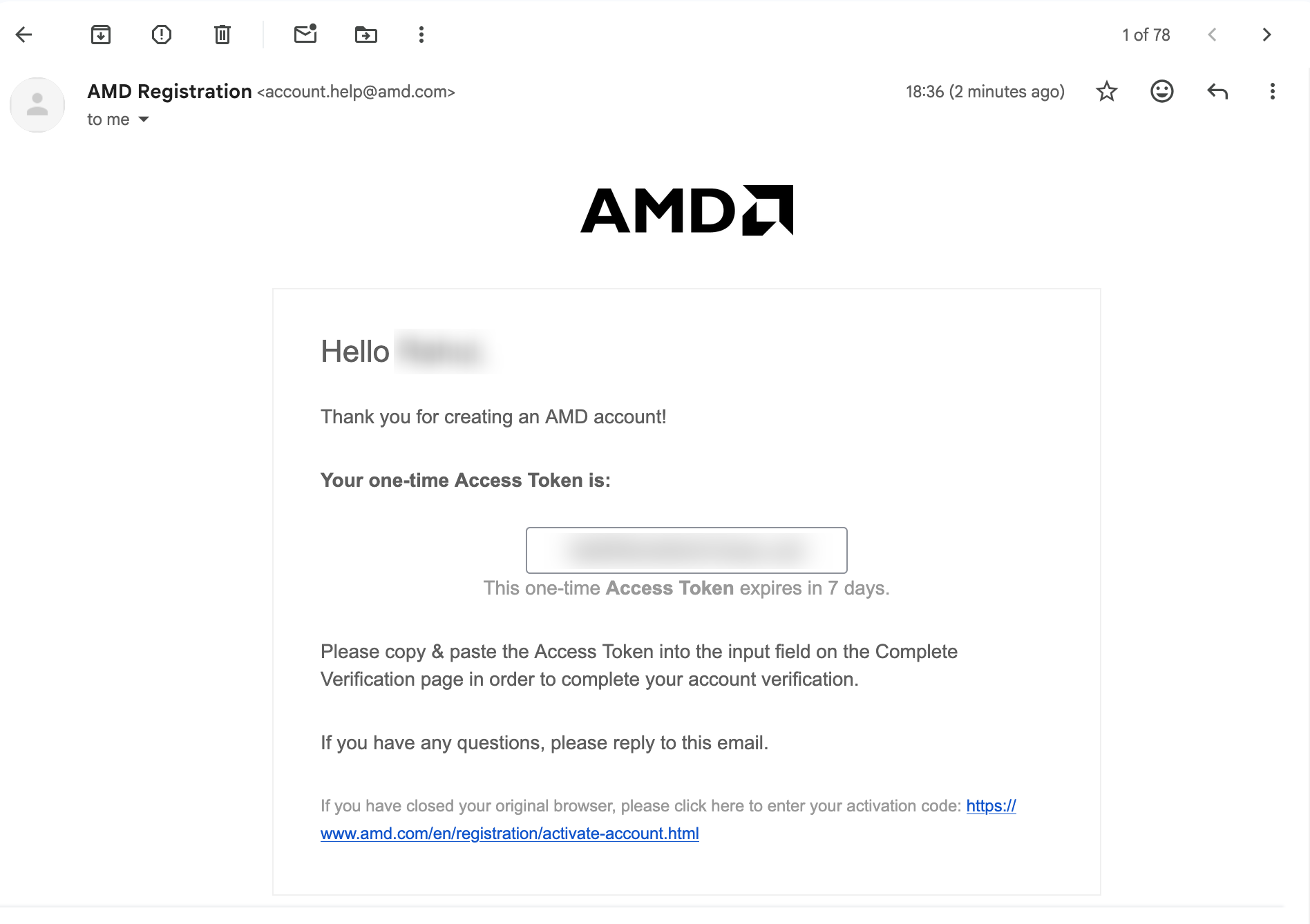
AMD Registration ([email protected]) sends you a one-time Access Token, valid for 7 days. Not in your inbox? Check junk and whitelist the address.
Paste the token, set a password (10+ characters with upper/lower/number/special), and hit Activate Account.
4. Go to Member Perks and Request Cloud Credits
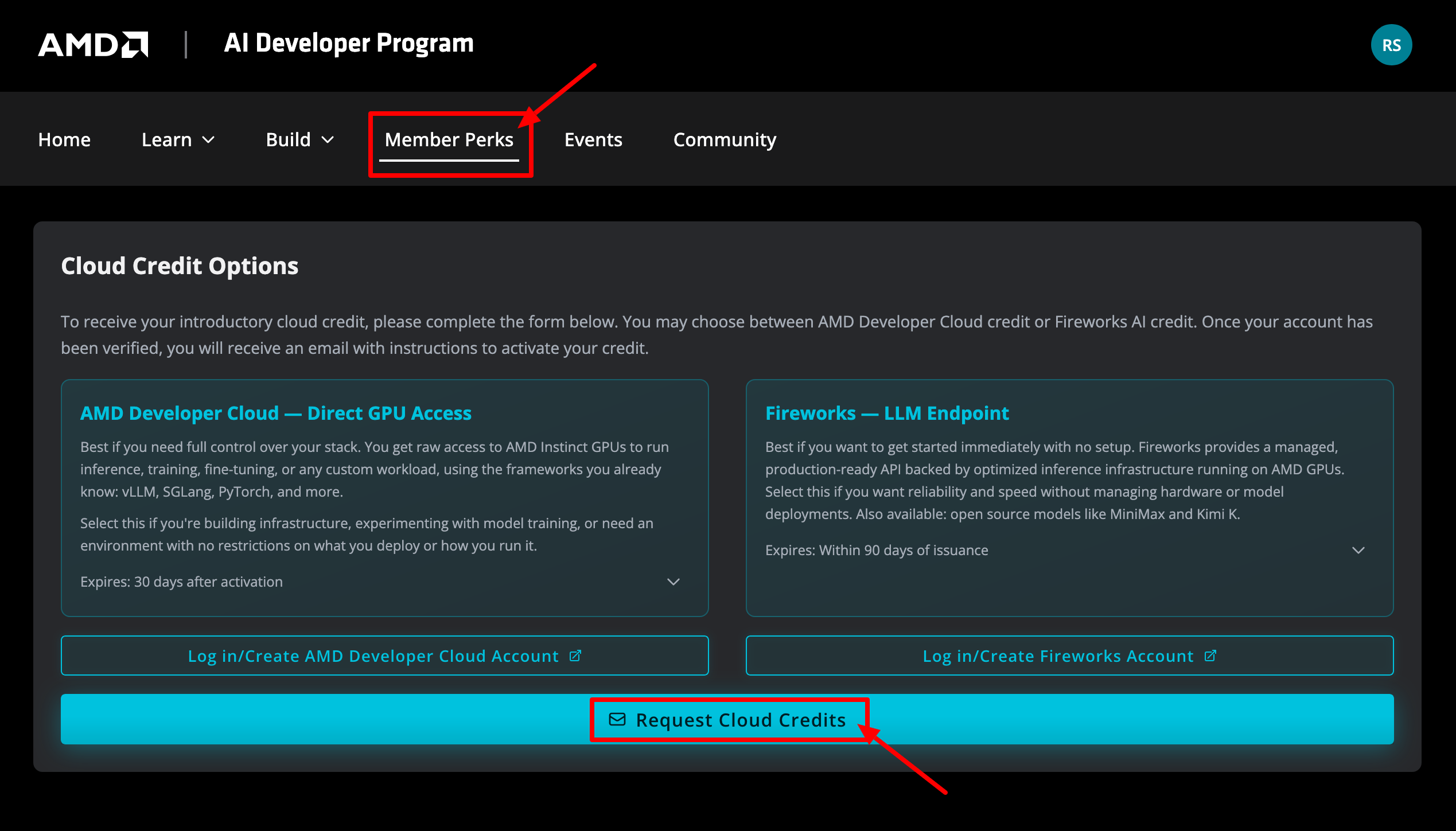
Log in to the AMD AI Developer Program portal. Click Member Perks in the top navigation, scroll to Cloud Credit Options, and hit Request Cloud Credits at the bottom.
You pick one of the two options:
- AMD Developer Cloud: raw AMD Instinct GPU access, expires 30 days after activation
- Fireworks: managed LLM endpoint on AMD GPUs (MiniMax, Kimi K, and more), expires 90 days after issuance
This guide picks Fireworks AI.
5. Complete the Credits Application Form
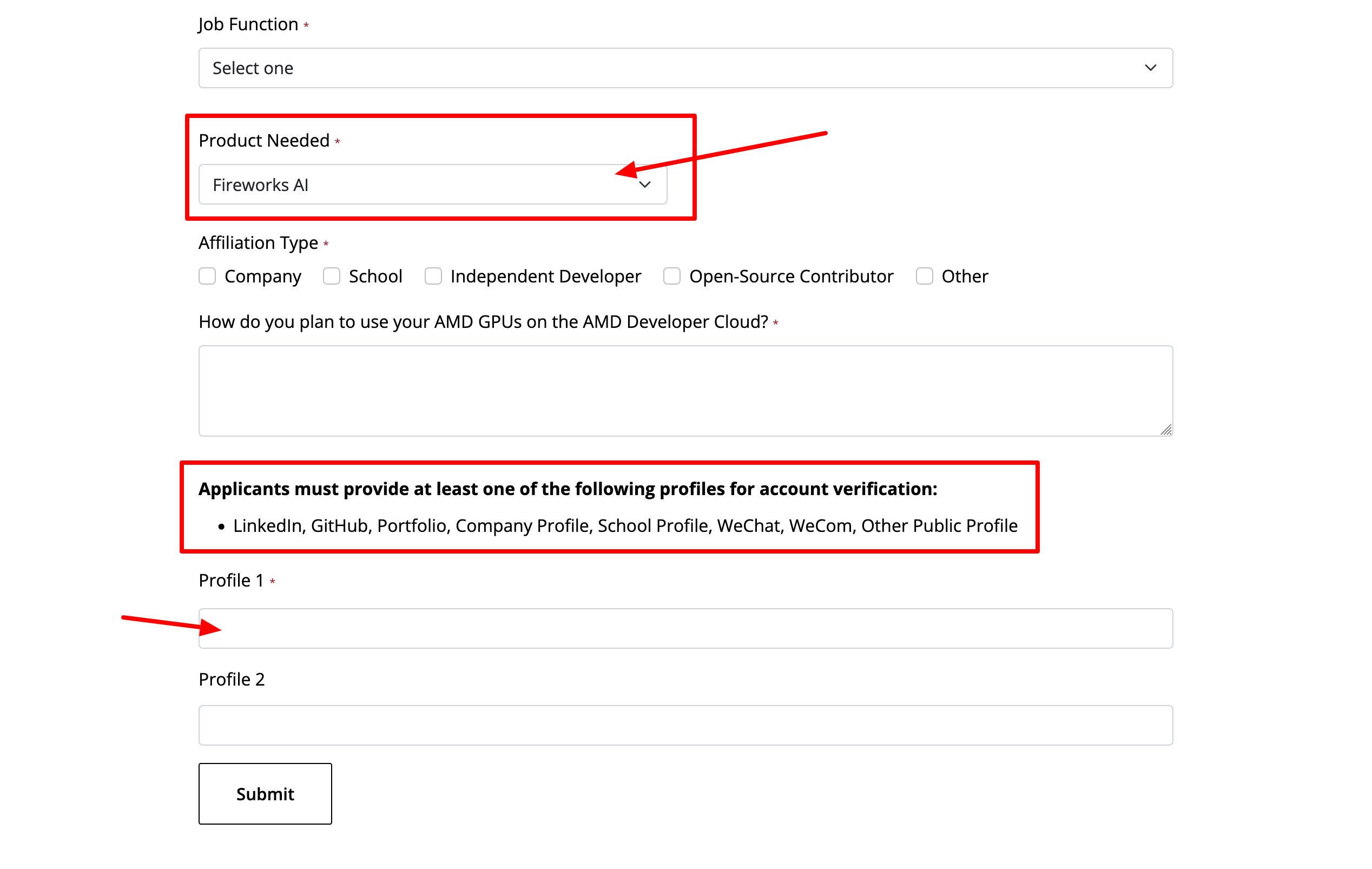
Fill in the form: pick your Job Function, set Product Needed to Fireworks AI, choose your Affiliation Type, and write a line or two about what you're building.
The part that matters most: at least one public profile for verification. LinkedIn, GitHub, Portfolio, Company Profile, School Profile, WeChat, WeCom, or Other Public Profile all work. Paste the URL in Profile 1. Profile 2 is optional but helps.
Click Submit.
6. Wait for Approval
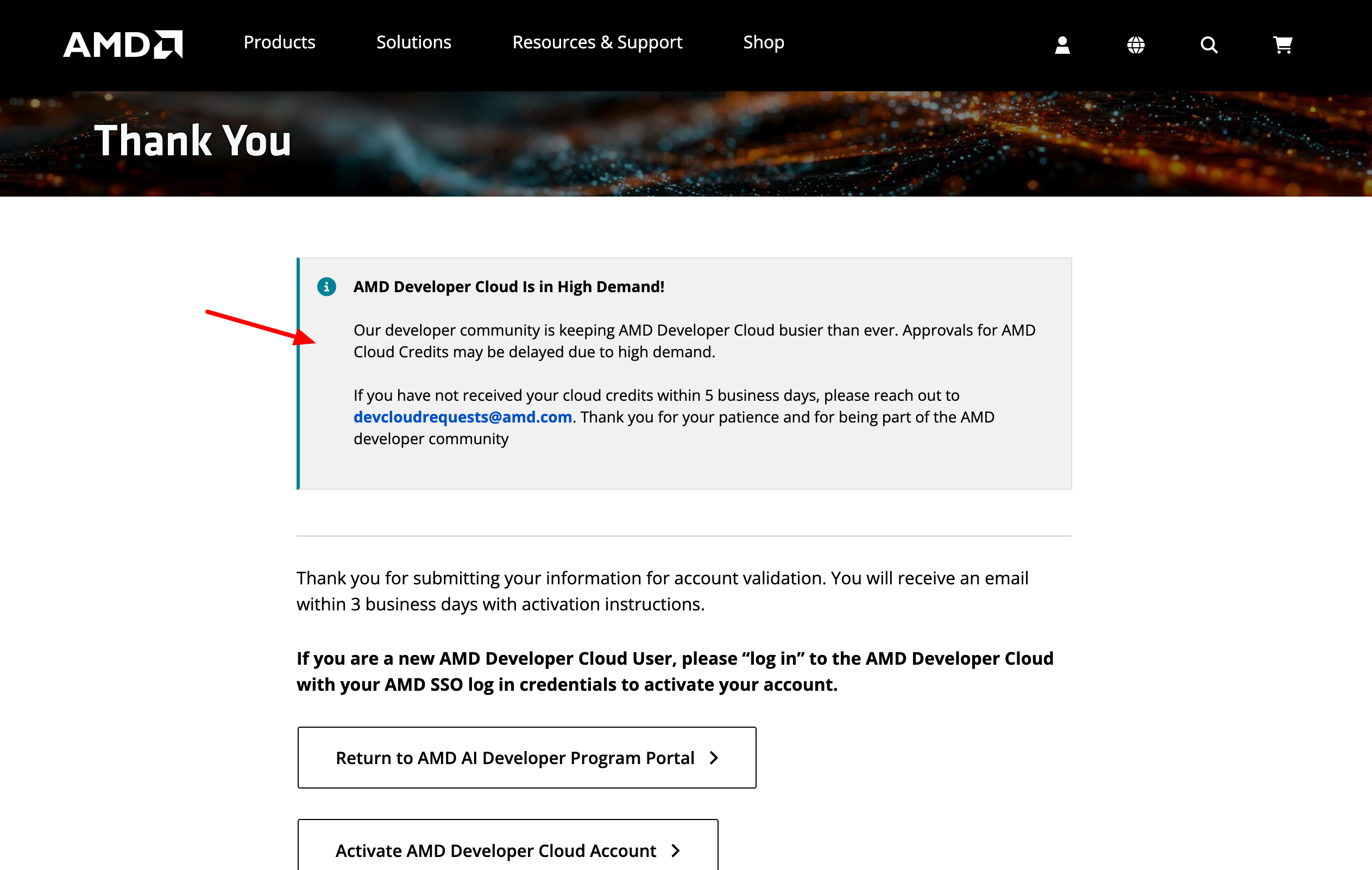
Done. The Thank You page says you'll get an email within 3 business days. Demand is high, so it can slip. Nothing after 5 business days? Email [email protected].
7. Receive the Approval Email
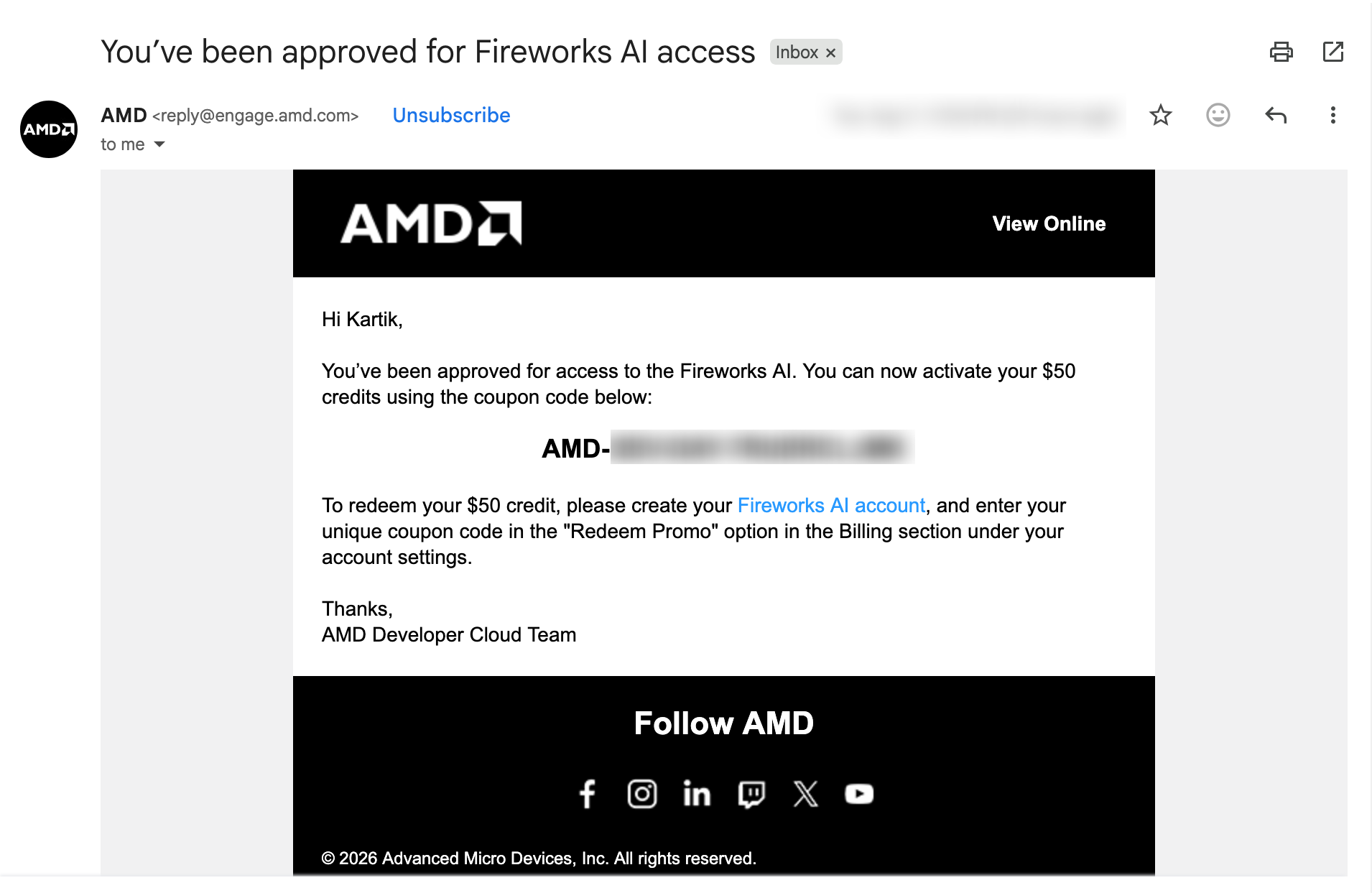
Once approved, you will receive an email from the AMD Developer Cloud Team with the subject "You've been approved for Fireworks AI access". It contains your unique coupon code, which starts with AMD-.
Keep the code private. Anyone who has it can redeem your $50.
8. Redeem Your Fireworks AI Credits
- Go to fireworks.ai and create your Fireworks AI account (or log in).
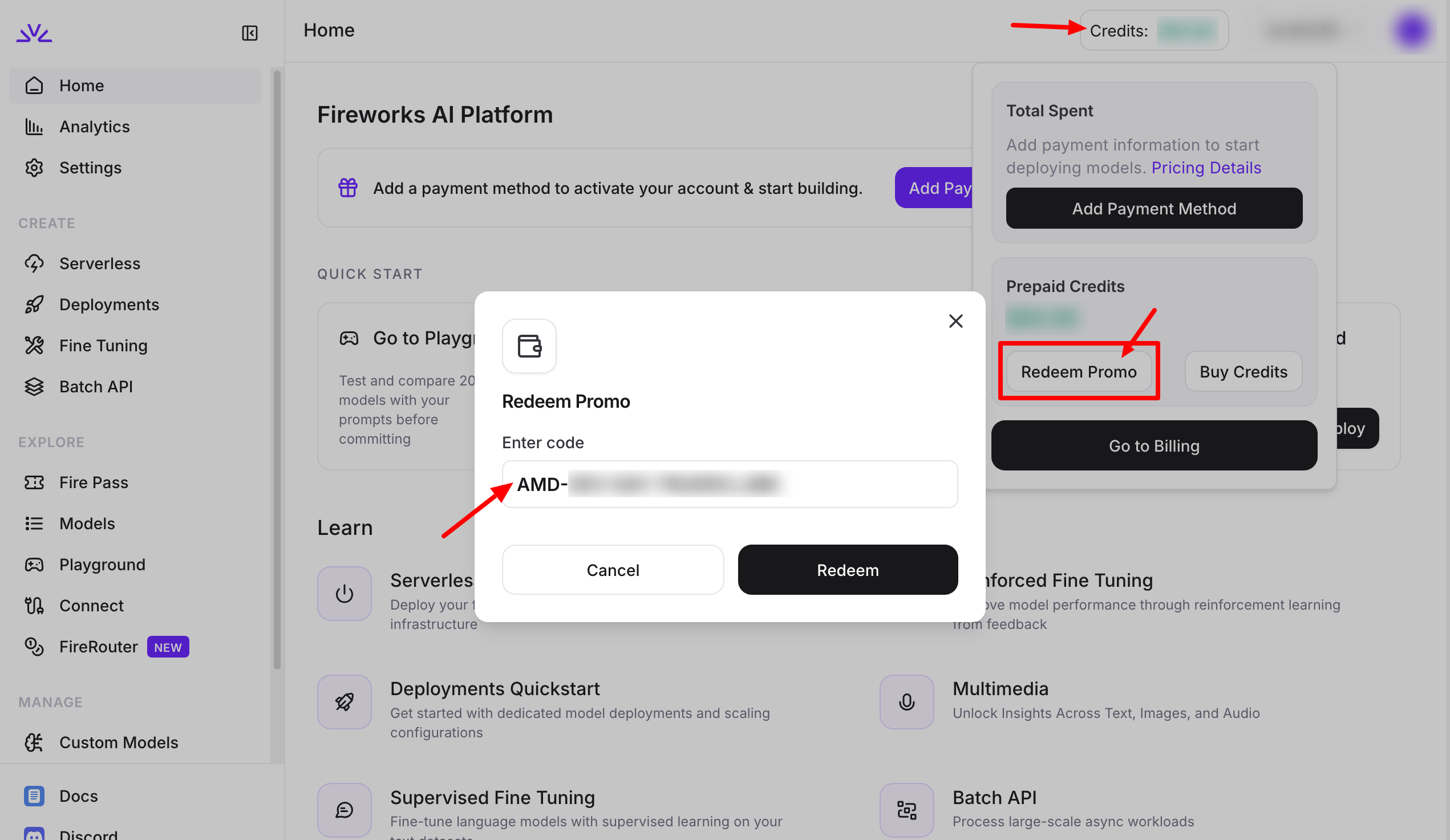
- Open your account's Billing section and click Redeem Promo under Prepaid Credits.
- Paste your AMD-... coupon code and click Redeem.
The $50 is added to your prepaid credit balance immediately. Credits expire 90 days after issuance, so redeem early and use them before the deadline. From here you can create an API key in the Fireworks dashboard and start building.
Frequently Asked Questions
The Verdict
Last verified: August 12, 2026. Credit amounts and program terms are subject to change. Always check the official AMD page for the latest information.
Student Offers Team
Student Discount Verification Team
Last verified 2026-08-12